The short answer
An appointment card needs a clear introduction on the front and a useful reminder on the back. These two existing dental-office designs show that division using the original product previews. The names and contact details in the previews are sample template content to personalize.
The front helps someone identify and contact you
Use your business name, the relevant professional name or role, and the contact details clients need. A location is useful when the appointment happens at your premises. Keep the main contact easy to find if someone needs to ask a question or change a booking.
The back holds the appointment reminder
Leave enough clear space for the recipient's name when needed, the appointment date, the time, and an AM or PM indication. A weekday checkbox can be helpful, but it should not replace writing the date. Add a short reminder only when it matches the policy you actually use.
Example one is a navy and white dental card
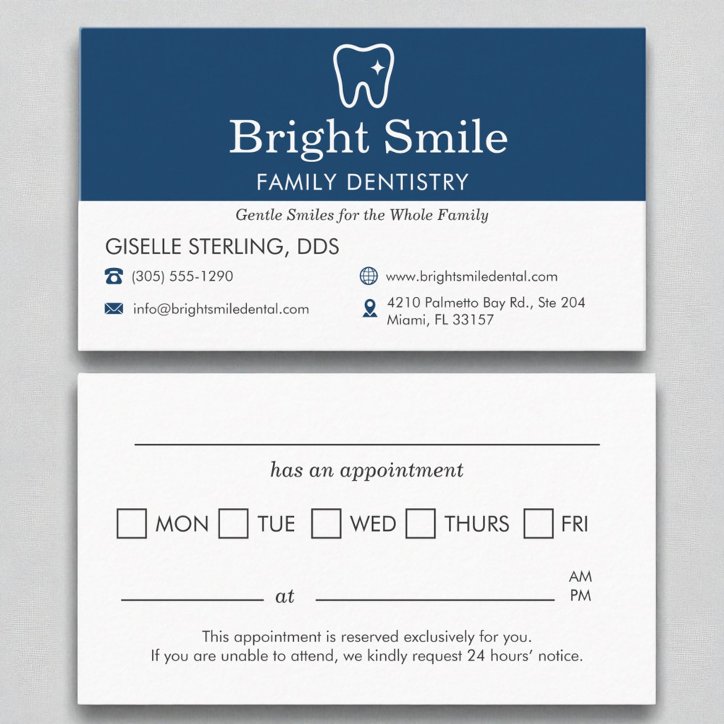
The Dental Dentistry Office Appointment Reminder Business Card places the practice identity and contact details on the navy-and-white front. Its white reverse includes a name line, weekday boxes, date and time lines, and an AM or PM marker. The preview also contains a request for 24 hours' notice; personalize or remove that wording if it does not match your business.
Example two uses a charcoal and white direction
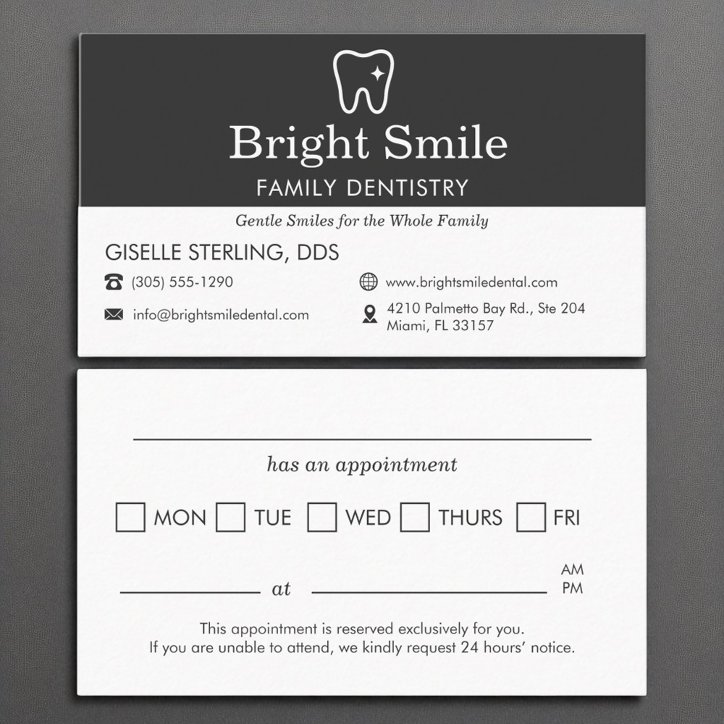
The Dentist Appointment Reminder Dental Dentistry Business Card uses a charcoal heading area with a similar light appointment-writing reverse. It is an alternative visual direction for the same practical division: identity on one side, the next appointment on the other. Compare both complete product previews before choosing the look that fits your practice.
Check both sides before ordering
The writing area is a layout feature, not a guarantee that every available paper or coating works with every pen. Confirm the options for the product you choose.
- Replace all sample names, phone numbers, web addresses, and locations.
- Check that reminder and cancellation wording matches your actual policy.
- Confirm that the appointment fields leave enough handwriting space at actual size.
- Review the available paper and finish options for writing; test your intended pen on a sample when possible.
- Check both sides in the final Zazzle preview, including print-safe areas and spelling.