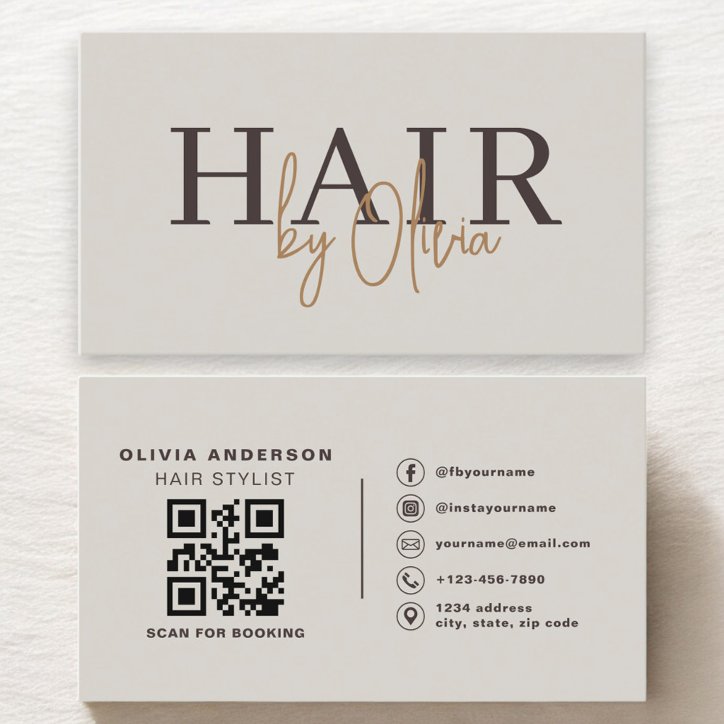
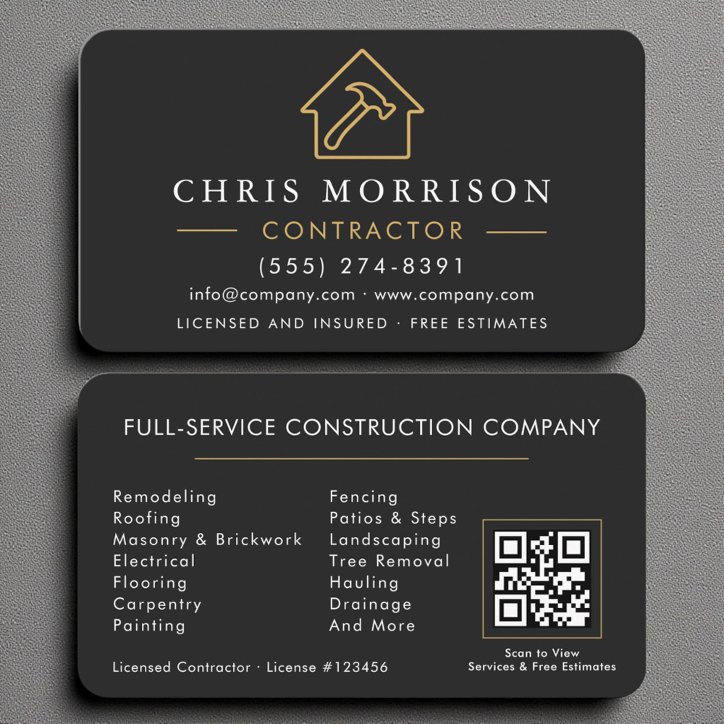
The short answer
A QR code belongs on a business card when it makes booking, requesting an estimate, or seeing your work easier. Give the code a specific purpose, enough clear space, and a printed fallback so the card stays useful when someone does not scan.
Choose the destination before the position
Link to the page that matches the invitation on the card. Scan to book should open your booking page; View our work should open a relevant portfolio. Check the mobile experience and make sure the page is available without an unexpected sign-in.
Use this placement checklist
- Give the code a clear label such as Scan to book or Request an estimate.
- Keep an empty quiet zone at least four modules wide on every side. A module is one small square in the code; the margin must scale with the code.
- Use dark code elements on a plain light background with strong contrast. Avoid putting the code over a photo, texture, or busy pattern.
- Keep the code square; never stretch or squash it.
- Keep the entire code and its quiet zone inside the printer's safe area, away from trim edges.
- Keep a readable phone number or short website address as an alternative to scanning.
- Test the finished code at the actual intended printed size and check the page it opens.
Front or back
The back often gives a QR code more breathing room while the front introduces your business. Front placement can work when scanning is the main purpose of the card. In either position, judge the complete layout: the code should be easy to spot without crowding names, contact details, or the print-safe area.
There is no universal minimum size
The usable size depends on how much information the code contains, the size of its modules, print quality, and the scanning device. Do not rely on a single size claim for every business card. Keep the destination URL simple where practical, follow your printer's guidance, and test a physical proof at the final size.
Test the version you will actually order
A successful scan from a large screen preview does not establish that the finished printed card will scan reliably. Use the physical-size test before placing the order.
- Scan the final exported design with more than one phone.
- Print a proof at 100 percent scale and test under normal lighting.
- Confirm that the correct page opens and the intended action works on mobile.
- Re-test after changing the URL, size, colors, image, or nearby layout.
- If you use a QR service that redirects links, check its ongoing terms and keep the destination active.
Compare layouts with room to scan
Browse the QR Code business-card collection for layouts that suit your business. Personalize the actual destination, keep its label accurate, and review both sides before ordering.
QR code sizing references
For the technical details behind the quiet zone, printed size, and distortion guidance: